

In today’s time, mobile phones have become a very important part of our lives. We talk to someone or the other throughout the day, whether it is related to work, chatting with friends, or talking to family members. But many times, we feel the need to check our call history. For example, we may want to see which number we called, when we called, how long the call lasted, or we may need call details of a specific day. In such situations, the question how to download call details PDF comes to many people’s minds.
If you also want to know this, then this article is for you. Here we will explain the complete process of downloading call details in PDF using easy and safe methods, in very simple language.
Why Call Details Are Needed?
Many times, we are not able to remember our own call history properly. In such cases, a PDF file of call details becomes very useful. Suppose you had talked to an important number and that number is no longer visible in your call log, then you can check it again through the PDF file. Apart from this, some people also download call details to keep a record of their mobile usage.
In some cases, like office work or billing-related tasks, call history is also required. That is why it is important to know how to get it in a proper and safe way.
Process to Download Call Details PDF Using Apps
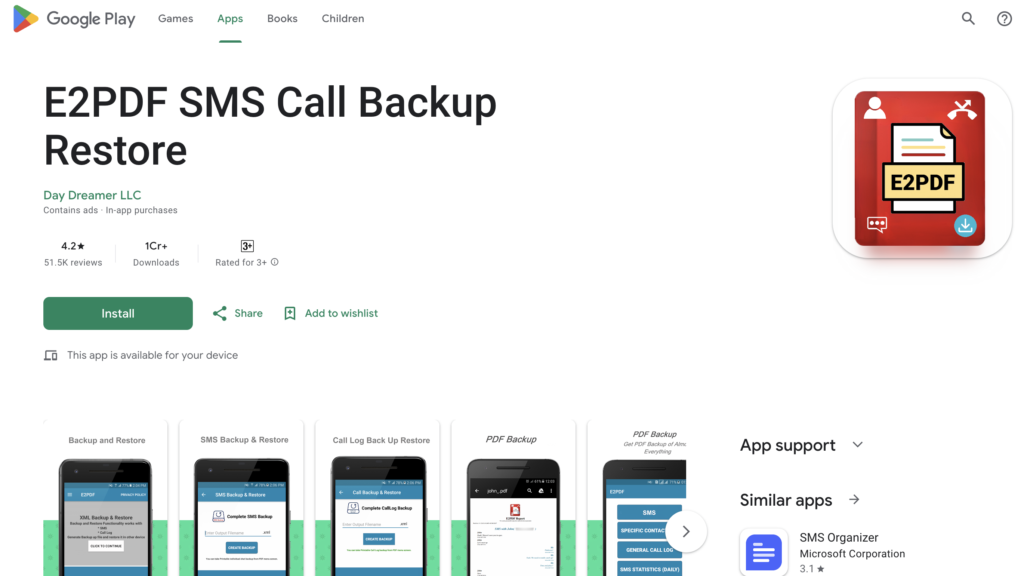
- First of all, open the Google Play Store on your mobile. In the search bar, type E2PDF SMS Call Backup Restore or Calls to PDF and search. Install any one of these trusted apps.
- After installing the app, open it. When you open it for the first time, it will ask for some permissions, such as access to Call Logs (call history). Here you need to click on Allow, only then the app will be able to read your call details.
- Now on the home screen of the app, you will see different options. Here you will find an option like PDF Backup or Call Log, click on it. After that, you will get the option to choose the time period for which you want to download call history, such as 7 days, 30 days, or up to 1 year.
- Now the next step is to give a name to the file. Here you can give any name to your PDF file, such as Call_History_2026, so that it is easy to identify later.
- After setting everything, click on the Export to PDF button. Within a few seconds, your call history will be converted into a PDF file and saved in your mobile storage.
- You can easily open this file by going to File Manager or share it with someone.
Process to Download Call Details Using Operator Apps (Jio, Airtel, Vi)
- If you want to use a more secure method, then you should use your mobile operator’s official app.
- First of all, download the app according to your SIM, such as MyJio, Airtel Thanks, or Vi App. After installing the app, open it and log in with your mobile number. Usually, login is done through OTP.
- After logging in, go to the My Account or Usage Details section inside the app. Here you will see the option of Voice Usage or Call History.
- After going into this section, you can view your call history. In some apps, you also get options like Download Statement or Email Statement. From there, you can download your call details in PDF or statement format.
- Keep in mind that many operators only show data for the last few months, such as 3 or 6 months. If you need older data, you may have to contact customer care.
Which Method is Better for You?
If you want a quick and easy method, then using apps is the best option. You just need to click a few buttons and your call details PDF will be ready.
But if you give more importance to security and do not want your data to be shared anywhere, then you should use your operator’s official app. It may be a bit limited, but it is completely safe.
What to Do If Call Details Are Not Downloading?
If for some reason your call details PDF is not downloading, then there is no need to worry. First, check whether you have given the correct permissions to the app or not. Also check your mobile storage to ensure there is enough space.
You can also check whether your internet connection is working properly and whether the app is updated or not. If you are using an operator app, make sure that you are logged in correctly.
Things to Keep in Mind While Downloading Call Details
Whenever you are downloading your call history, it is very important to keep a few things in mind. First of all, always use trusted apps. There are many apps and websites on the internet that can misuse your personal information.
Secondly, do not give unnecessary permissions to any app. If an app is asking for more access than needed, it is better to avoid it.
And the most important thing, never try to get call details of another person. This can be illegal and can also be dangerous for privacy.


Call history